
How to Use GPTHumanizer for Emails, Follow-Ups, and LinkedIn Posts Without Sounding Robotic

Summary
Using GPTHumanizer on emails, follow-ups, and LinkedIn posts works best when the tool is used for selective cleanup rather than full replacement. The strongest workflow is to protect the message-defining lines, choose the safest style first, and improve awkward wording in smaller passes so the final version still sounds natural for the context.
* Emails, follow-ups, and LinkedIn posts are less forgiving because one awkward line can shape the entire impression.
* GPTHumanizer is especially useful for robotic wording, repetitive rhythm, weak closings, and phrasing that feels too AI-generated.
* Email, General, and Professional are usually the safest starting styles, while Blog or Casual should be chosen more deliberately.
* Emails usually improve when they become clearer and easier to reply to, not more polished for its own sake.
* Follow-ups usually get worse when the rewrite makes them sound pushier or more template-like than the original.
* LinkedIn posts usually get weaker when the rewrite removes point of view, lived-in texture, or natural rhythm.
A lot of GPTHumanizer AI users are not just content writers or bloggers. Many of the deeper, repeat users are using it for the writing they deal with every week: outreach emails, follow-ups, LinkedIn posts, quick replies, internal messages, and short public-facing updates.
That makes this use case more important than it looks. A blog post has room to recover if one paragraph feels a little generic. An email does not. A LinkedIn post does not either. In these formats, one sentence can shape the entire impression, which is why the real question is usually not “Can GPTHumanizer rewrite this?” but “Can it make this sound natural without making it sound fake, too polished, or unlike me?”
If you want the broader setup first, start with How to Use GPTHumanizer AI. This article is about a narrower and much more practical problem: how to use GPTHumanizer on emails, follow-ups, and LinkedIn posts when the message is already there, but the wording still sounds stiff, too AI-shaped, or just not quite right.
Why this kind of writing is easier to damage
The frustrating part about emails and LinkedIn posts is that they usually do not need a big rewrite. In most cases, the message is already fine. The problem is smaller than that.
Maybe the email sounds a little too formal for the person you are sending it to. Maybe the LinkedIn post has the right point, but the phrasing feels generic in a way that makes it sound like a cleaned-up content pattern instead of something you would actually say. Maybe the follow-up is clear, but the tone feels too eager, too careful, or too polished.
That is why this kind of writing gets worse so easily after a bad rewrite. The tool does not need to ruin the whole draft. It only needs to slightly change the tone of the opening, the ask, or the closing line, and the message can already feel less human than the original.
What people actually want help with here
When someone looks for help on this topic, they are usually trying to solve one of a few very specific problems:
an email sounds robotic
a follow-up sounds awkward or too salesy
a LinkedIn post feels generic
a message is clear, but not natural
a draft sounds too much like AI even though the idea is fine
the writing is decent, but it does not sound like something they would actually send
That is the lens I would use with GPTHumanizer AI. The goal is not to “upgrade” a short draft into something more impressive. The goal is to make it sound easier to send, easier to post, and more believable for the person who will read it.
Where emails and LinkedIn posts usually go wrong after rewriting
The most common issue here is not big meaning drift. It is tone drift.
Type of draft | What usually gets worse |
Outreach email | It becomes too formal or too polished |
Follow-up email | It sounds pushier than the sender intended |
Internal email | It starts sounding stiff and unnatural |
LinkedIn post | It loses point of view and lived-in texture |
Reply or short message | It sounds scripted instead of human |
This matters because short business writing depends heavily on fit. A message can be grammatically better and still feel worse if it no longer matches the relationship, the platform, or the actual tone the writer wanted.
What GPTHumanizer is actually good at in this use case
This is where the article needs to stay grounded in your product instead of turning into generic AI-writing advice.
In my view, GPTHumanizer works best here when the draft already has the right purpose, but still needs help with surface-level problems such as:
repetitive wording
stiff openings
robotic transitions
phrasing that feels too AI-generated
a closing line that sounds unnatural
a LinkedIn paragraph that reads more like a summary than a person talking
That is why GPTHumanizer fits emails and LinkedIn better than a lot of people expect. These drafts often do not need a new structure or a new message. They just need the wording to sound less forced. It also helps that GPTHumanizer AI is free to start and does not require sign-up before you try it, because this kind of writing problem is often immediate. Many users are not looking for a heavy workflow here. They just have one email, one follow-up, or one post that feels off, and they want to fix it quickly without stopping to create an account first.
What I would protect before using GPTHumanizer
On a long article, I usually think in sections. On emails and LinkedIn posts, I think in lines.
Before I use GPTHumanizer, I usually pay extra attention to the parts that define the entire message:
the opening line
the ask
the CTA
the sentence that carries warmth, confidence, or urgency
the line that makes the post sound like a real person
the sentence that would feel awkward if it became more corporate than intended
For example, if an outreach email already has the right ask, I do not want GPTHumanizer turning it into something more polished but less natural. If a LinkedIn post already has one honest line that gives it some life, I would rather preserve that line than replace it with a smoother sentence that sounds like everybody else.
The GPTHumanizer styles I would actually use here
This is one of the most important product-specific decisions, because short messages often go wrong before the rewrite even starts.
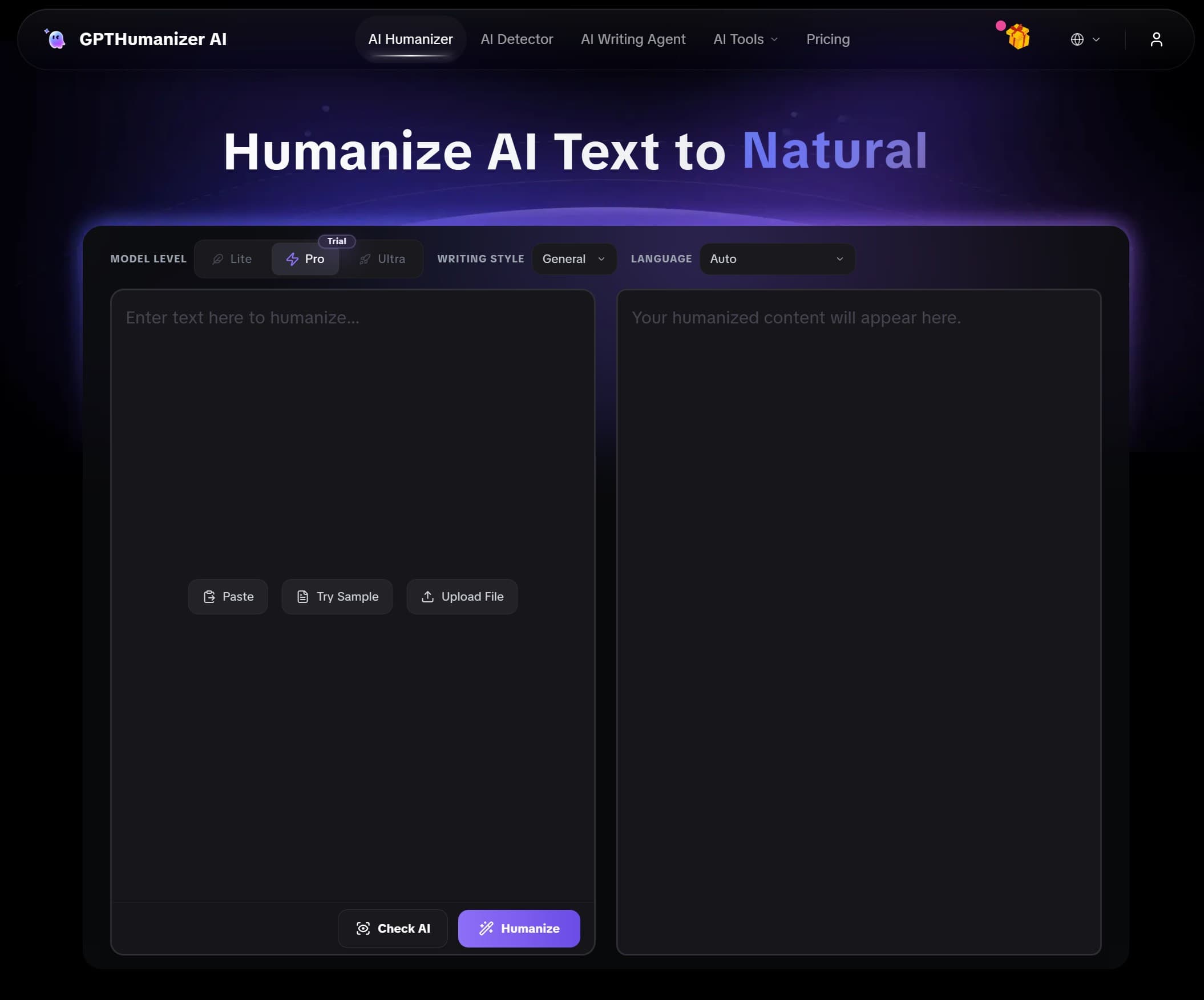
For emails, follow-ups, and LinkedIn posts, I would usually start with Email, General, or Professional, depending on what the draft needs.
My default logic is simple:
Email for outreach, follow-ups, replies, and direct communication
General when the wording already feels close and just needs cleaner phrasing
Professional for more formal client-facing or business-facing messages
Blog only when the LinkedIn post is more developed, more reflective, or more editorial in tone
Casual only when the original message is already intentionally relaxed
The mistake I see most often is choosing the most expressive style instead of the safest one. For this kind of writing, controlled cleanup usually performs better than stronger rewriting. If the tone is already close, I would rather start with Email or General and keep the message intact.
If style choice is still fuzzy, this topic also connects naturally to Which GPTHumanizer Writing Style Should You Choose? A Practical Guide, because many weak email and LinkedIn drafts are really style-selection problems before they become rewrite problems.
Emails usually need clarity more than polish
A lot of users overestimate what a “better” email should sound like.
Most effective emails are not memorable because they are beautifully written. They work because they are clear, appropriate, and easy to respond to. If GPTHumanizer helps an email sound more natural while keeping the ask simple and the tone right for the relationship, that is already a good outcome.
I would be careful any time an email becomes:
more formal than the sender really is
longer without becoming clearer
more promotional than the original
more polished but less specific
harder to reply to because the wording now feels too prepared
That last point matters more than people think. An email can sound “well written” and still feel socially wrong for the context.
Follow-ups need the most restraint
Follow-up emails are especially easy to get wrong because small tone changes make a big difference.
A follow-up can go from polite to pushy very quickly if the rewrite makes the sender sound too eager, too insistent, or too packaged. This is one area where I would use GPTHumanizer very selectively.
If the follow-up already has the right structure, I would usually focus on cleaning the wording around these points:
the reminder
the reason for following up
the ask
the final sign-off
What I do not want is a rewrite that turns a reasonable message into something that sounds like a sales template. On follow-ups, cleaner is good. More polished is not always better.
LinkedIn posts need a real point of view, not just smoother wording
LinkedIn is slightly different because people are reacting to voice, not just information.
A LinkedIn post can have a perfectly decent structure and still fail because it sounds too tidy. The phrasing becomes smoother, but the post loses the little signs that a real person had a real thought behind it. That is usually where users feel the disappointment. The output is cleaner, but it sounds more generic than the draft they started with.
When I use GPTHumanizer on LinkedIn posts, I pay extra attention to whether the post still has:
a hook that feels like something a person would actually open with
a middle section that sounds observed, not manufactured
a clear opinion, lesson, or tension
some sentence variation and natural rhythm
a closing thought that sounds earned rather than formulaic
That is especially true for founder posts, short work lessons, marketing observations, and opinion-led LinkedIn content. These formats need some texture. If every sentence becomes equally polished, the post may read more smoothly while losing the exact reason it felt worth posting.
Smaller passes usually work better than full rewrites
This is one of the easiest ways to get better results from GPTHumanizer on this kind of writing.
Instead of treating the whole message as one unit, I would often test only the parts that feel off:
the opening line
the core ask
the final CTA
the sentence that sounds most robotic
the paragraph that feels too AI-shaped
That gives you more control and makes it easier to keep the lines that already work. It also reduces the chance of turning a decent short message into something that sounds more artificial than the original.
What I would still edit by hand
Even when GPTHumanizer improves the draft, I would still hand-edit certain lines because they carry most of the communication risk.
I would usually revise these myself:
the actual ask in an outreach email
the first line of a LinkedIn post
any sentence carrying urgency
a CTA or reply prompt
lines that signal warmth, humility, or personal intent
anything that sounds slightly too promotional after the rewrite
These are the lines people react to most immediately. If they sound too polished, too vague, or too “generated,” the rest of the message usually cannot compensate for it.
If you want a stronger last-step check after the rewrite, this article also pairs naturally with How to Review GPTHumanizer Output Before Publishing, because emails and LinkedIn posts often look fine on first read and then feel wrong once you imagine actually sending them.
How I decide whether the output is actually better
For emails and LinkedIn posts, I do not judge success by smoothness alone. I judge it by whether the draft now feels more natural for the exact situation.
These are the questions I care about most:
Does this still sound like something I would actually send or post?
Is the tone right for this relationship or platform?
Did it become longer without becoming better?
Is the ask clearer, or just more polished?
Does it sound like a person rather than a template?
If the answer starts drifting in the wrong direction, I would rather keep a slightly rougher version than accept a cleaner one that feels less believable.
Conclusion
Using GPTHumanizer for emails, follow-ups, and LinkedIn posts works best when the tool is cleaning robotic phrasing, stiff wording, and weak flow without taking over the tone of the message. In practice, that usually means choosing the safest style first, protecting the opening and the ask, and improving the wording in smaller passes instead of rewriting the whole draft at once.
This kind of writing is less forgiving than long-form content, which is why the best result is usually not the most polished version. It is the version that sounds clearer, more natural, and more believable for the exact person who will read it.
FAQ
Q: How do you use GPTHumanizer for emails without making them sound too polished?
A: Start with Email or General, protect the opening line and the ask, and use GPTHumanizer to clean awkward phrasing instead of making the message more formal or more salesy.
Q: Which GPTHumanizer style is best for follow-up emails?
A: Email is usually the safest starting point for follow-ups because it helps the wording feel natural and direct without pushing the message into a more promotional or overly polished tone.
Q: How do you use GPTHumanizer for LinkedIn posts without sounding generic?
A: Keep tighter control over the hook, the main observation, and the closing thought, then use GPTHumanizer more selectively on the lines that feel stiff, repetitive, or too obviously AI-shaped.
Q: Which parts of emails and LinkedIn posts should still be reviewed manually after using GPTHumanizer?
A: The opening line, the ask, the CTA, and any sentence carrying urgency, warmth, or personal intent usually deserve manual review because they shape the entire impression.
Q: Can GPTHumanizer help with a draft that already sounds mostly right?
A: Yes. It is especially useful when the message itself is solid but the phrasing still feels stiff, repetitive, or slightly robotic in a way that makes the draft harder to send confidently.

Related Articles
I Tested 7 Paid AI Humanizers: Which Ones Are Actually Worth Paying For?
I tested 7 paid AI humanizers to see which tools are worth paying for, which need more testing, and ...
 Ethan Miller
HIX Bypass Pricing Explained: Is It Worth Paying For in 2026?
A practical look at HIX Bypass pricing, paid-plan value, word limits, refund terms, and whether it i...
Ethan Miller
Does Hixbypas Work in 2026? Fast, and Aggressive Modes Tested
Does Hixbypas, or HIX Bypass, actually work? I tested Fast and Aggressive modes to compare rewrite q...
Ethan Miller
Best HIX Bypass Alternative: Free, No-Sign-Up AI Humanizer Compared
Looking for a HIX Bypass alternative? Compare HIX Bypass with GPTHumanizer for free access, no-sign-...
Ethan Miller