
What to Prepare Before Using GPTHumanizer AI on Any Draft

Summary
The best way to use GPTHumanizer AI is to prepare the draft before touching the tool. When the goal, reader, and protected meaning are already clear, the product works far better as a refinement layer instead of a rescue tool for unclear writing.
- Draft preparation matters because GPTHumanizer is strongest when the structure and intent are already there. It improves usable drafts more reliably than it fixes confused ones.
- The most important prep steps are defining the draft’s job, identifying the reader, and marking what cannot change. Those choices protect meaning while giving the rewrite direction.
- GPTHumanizer fits best after drafting but before final polish. That is where natural phrasing, smoother flow, and better readability tend to help most.
- Voice cues should be prepared before editing, especially for blog and brand writing. Cleaner output is not enough if the result no longer sounds like the original author.
- Sensitive terms, qualifiers, claims, and factual details should always be protected and reviewed. Better rhythm is useful only when precision and intent still hold.
One of the biggest mistakes people make when writing about GPTHumanizer AI is using it too early. Too early not as dramatic. Just before the draft has a clear aim, a clear audience, and clear boundaries on what will not change from the original draft.
That applies to any editing tool, but I think it applies to GPTHumanizer AI especially well because it is more useful as a polishing layer than as a rescue button for a half-baked first draft. It can do wonders at making existing writing sound more natural and less stilted. It is much less useful when the draft does not yet know what it wants to say.
That is also why, in this larger guide to using GPTHumanizer AI, I would never treat the tool itself as the entire workflow. The input stage is more important than most people think.
The short answer: prepare the draft, the goal, and the boundaries
Before I use GPTHumanizer AI on any draft, I would think about three things: what the draft is trying to achieve, who the draft is for, and what are the imperials.
The reason I say this as bluntly as I do is simple, GPTHumanizer runs the gamut of giving you enough control to work through sections and consciously drive output. That is a power of GPTHumanizer, but it also means that vague input arrives quickly. If you are not clear about the goal, then the rewrite will appear smoother while actually drifting further away from the essence.
That is also why I don’t think picking a writing style should be the first “brain exercise.” Style is useful, but only after you know the goal of the draft. If you are still debating how much to change the wording, your first bet is usually this: what am I trying to preserve? Once that is clear, this practical guide to GPTHumanizer writing styles is much less intimidating.
What I prepare before I use GPTHumanizer AI
What to prepare | Why it matters | What goes wrong if you skip it |
Draft goal | Keeps the rewrite aligned with the real purpose | Output sounds better but misses the job |
Target reader | Helps control tone, phrasing, and detail level | Text becomes vague or generic |
Non-negotiable meaning | Protects nuance, claims, and intent | Important points get softened or shifted |
Voice cues | Keeps the draft sounding like you or your brand | Output becomes smooth but forgettable |
Sensitive terms, names, and facts | Reduces subtle drift in important details | Accuracy gets weaker in small but real ways |
Draft quality level | Helps you decide whether to humanize or rewrite first | You expect refinement to solve structural problems |
1. Be clear about the draft’s actual job
This is the first thing I decide because it is the most trouble brought down.
Is the goal to persuade, explain, reassure, make it more readable, or relieve obvious AI stiffness? Those are not the same job. A blog intro, a product explainer, an SEO refresh paragraph and founder-style LinkedIn post all must be edited to different ends.
A lot of disappointment with humanizer tools will be with me. The output isn’t bad. It is just aimed in the wrong direction. In my experience, that is rarely because the tool was bad. It is because the draft never had a clear sense of assignment.
Before I use GPTHumanizer AI I am sure to write a one-line instruction to myself:
This draft has to sound more natural but doesn’t become softer, blurrier or less specific.
That sentence anchors the edit.
2. Know who the draft is intended for
I would not prepare the same way for a blog post intended for SEO editors and a short email intended for a client. The intended reader changes what “natural” can even mean.
To some, natural means direct and efficient. To others, it means warmer, looser and less robotic. If you skip this step, the rewrite will often land in the safest middle. It will read fine but sound like it could belong to anyone.
That matters with GPTHumanizer because the tool is most useful when you desire to polish existing writing without changing the intention of it. If you know the reader, it is easier to direct. If you do not, the output can become polished in a way that is so detached from the real situation that it fits nowhere.
So before I paste anything in, I ask:
● Who is reading this?
● How familiar are they with the topic?
● Should this sound expert, friendly, persuasive, restrained, or practical?
● Do I want this to feel like a writer, an editor, a founder, or a teammate?
3. Mark what cannot change
This is where serious use starts.
A lot of drafts contain lines that should not be casually rewritten: product claims, technical wording, nuanced positioning, pricing references, named entities, or carefully chosen qualifiers. If you do not mark those first, even a strong output can create cleanup work you never needed.
I usually mark these before using GPTHumanizer AI:
● specific facts and numbers
● product names and feature terms
● lines carrying the core argument
● wording tied to brand positioning
● qualifiers like “may,” “can,” “typically,” or “not always”
This matters even more for SEO pages, customer-facing content, and anything trust-sensitive. Sometimes the right move is to keep the meaning locked and only improve the rhythm around it.
4. Decide whether the draft needs humanizing or real rewriting
This is one of the most useful judgment calls.
Sometimes the draft is already solid. It just sounds stiff, repetitive, or too evenly polished in that familiar AI way. That is exactly where I think GPTHumanizer is strongest.
But sometimes the real problem is deeper. The logic is messy. The order is off. The examples are thin. The point is still half-formed. In those cases, using the tool first is usually the wrong move. You do not need natural phrasing yet. You need editorial rebuilding.
I would put drafts into three buckets:
Draft type 1: structurally sound, stylistically stiff
Use GPTHumanizer AI early. This is where the tool usually gives the cleanest payoff.
Draft type 2: mostly workable, but uneven
Fix the worst structural issues first, then use GPTHumanizer to smooth and tighten.
Draft type 3: unclear, shallow, or confused
Do not use humanization as the first solution. Rebuild the draft, then refine it later.
That is also why I tend to use GPTHumanizer later in the writing process than some people expect. I do not use it to discover the point of the piece. I use it once the point is already there and I want the writing to sound more natural without flattening it.
5. Pull out your voice cues before the edit
This is the step people skip when they later say, “It sounds fine, but it does not sound like me.”
If you already have a writing rhythm, define it before using the tool. Not in a huge brand document. Just in practical terms:
● short paragraphs
● direct openings
● slightly opinionated tone
● not too polished
● real examples over abstract claims
● fewer generic transitions
● clear judgments instead of safe neutrality
That matters because GPTHumanizer is very good at cleaning up stiffness. But if you do not decide what should stay, “cleaner” can quietly become “flatter.”
6. Clean obvious noise before you paste the draft in
I do not mean spending half an hour line-editing first. I mean removing the clutter that confuses the rewrite:
● duplicate paragraphs
● placeholder notes
● random pasted fragments
● half-finished bullets
● conflicting headings
● comments meant for yourself, not readers
This step matters more with a tool like GPTHumanizer because it is most useful when you are feeding it something coherent enough to refine in deliberate blocks. In real use, I think section-by-section editing is usually the smartest way to work with it anyway, especially on blog posts, landing page sections, and longer drafts.
A simple rule I use is this: if I would be embarrassed to hand the raw draft to another editor, I probably should not paste it into GPTHumanizer yet either.
7. Prepare a review standard before you generate anything
This is what turns the product into a workflow instead of a random rewrite step.
Before I run a draft through GPTHumanizer AI, I already know what I plan to check afterward. That keeps me from judging the result by surface smoothness alone.
My review standard is usually:
● Did the meaning stay intact?
● Did the tone move in the right direction?
● Did anything become weaker, blurrier, or more generic?
● Does it still sound like the intended writer or brand?
● Is it genuinely easier to read, or just rearranged?
If I am working on something more sensitive, I may also look at detector-style feedback as a secondary signal, but never as the main verdict. It is useful only when it supports what the writing already tells me.
A simple prep workflow that works on most drafts
Here is the workflow I would use on almost any draft before opening GPTHumanizer AI.
Step 1: Define the job
Write one sentence explaining what the draft needs to do.
Step 2: Define the reader
Decide who the text is speaking to and how it should sound to them.
Step 3: Mark the protected parts
Highlight names, claims, terms, and phrases that should not drift.
Step 4: Assess the draft honestly
Decide whether the piece needs refinement or deeper rewriting first.
Step 5: Note your voice cues
List the style traits you want to preserve.
Step 6: Remove obvious clutter
Clean the input so the tool is working from something coherent.
Step 7: Set your review checklist
Know in advance how you will judge the result.
That is not over-prep. It is just enough prep to make GPTHumanizer more useful in real editing, not just in demos.
Where GPTHumanizer fits best in the workflow
If I had to say in a couple of words how best to use GPTHumanizer, I would say it is best used after composition and before final polish. That is the “sweet spot”.
I would use it after the structure, meaning, and argument are “locked in”, but before the final human pass to add in links, format like a human, check the facts, and tighten the voice. Doing it in that manner is more like an editor tool than a “black box presse-gang” rewrite button.
That is why prep matters so much here. The more the draft is “locked in”, the more GPTHumanizer can do what it is tuned to do: loosen phrasing stiffness, tighten flow, and smoothen phrasing to “feel more human written” without having to start over.
Conclusion
Before running any draft through GPTHumanizer AI, prep the intent, prep the audience, prep the limits. That is what makes the difference between having a cleaner version of your writing and having a version that sounds smooth but has quietly lost what made the original so good.
In practice, prep is simple. Know what your draft has to “do.” Know what you have to keep. Know what kind of voice you want to preserve. Then run it through GPTHumanizer. That is the way I prefer to work and that is the way things most often hold up when it really matters.
FAQ
Q: What should I prepare before using GPTHumanizer AI on a draft?
A: Prepare the goal, reader, and protected meaning first. That gives the rewrite direction and helps GPTHumanizer improve flow without weakening the original point or voice.
Q: Should I clean up a draft before pasting it into GPTHumanizer AI?
A: Yes, but only the obvious mess. Remove clutter, placeholders, and broken sections so the tool is refining a coherent draft instead of trying to interpret confusion.
Q: Can GPTHumanizer AI fix a weak draft from scratch?
A: Not really. It works best when the structure and argument already exist. If the draft is still confused, real editing should come before humanization.
Q: Why does GPTHumanizer output sometimes stop sounding like the original writer?
A: That usually happens when voice cues were never defined upfront. Without clear tone boundaries, the output can become smoother but also flatter and less personal.
Q: Where does GPTHumanizer fit best in a writing workflow?
A: It usually fits best after the draft is structurally sound but before final publication review. That is the stage where natural phrasing improvements are most useful and most controllable.

Related Articles
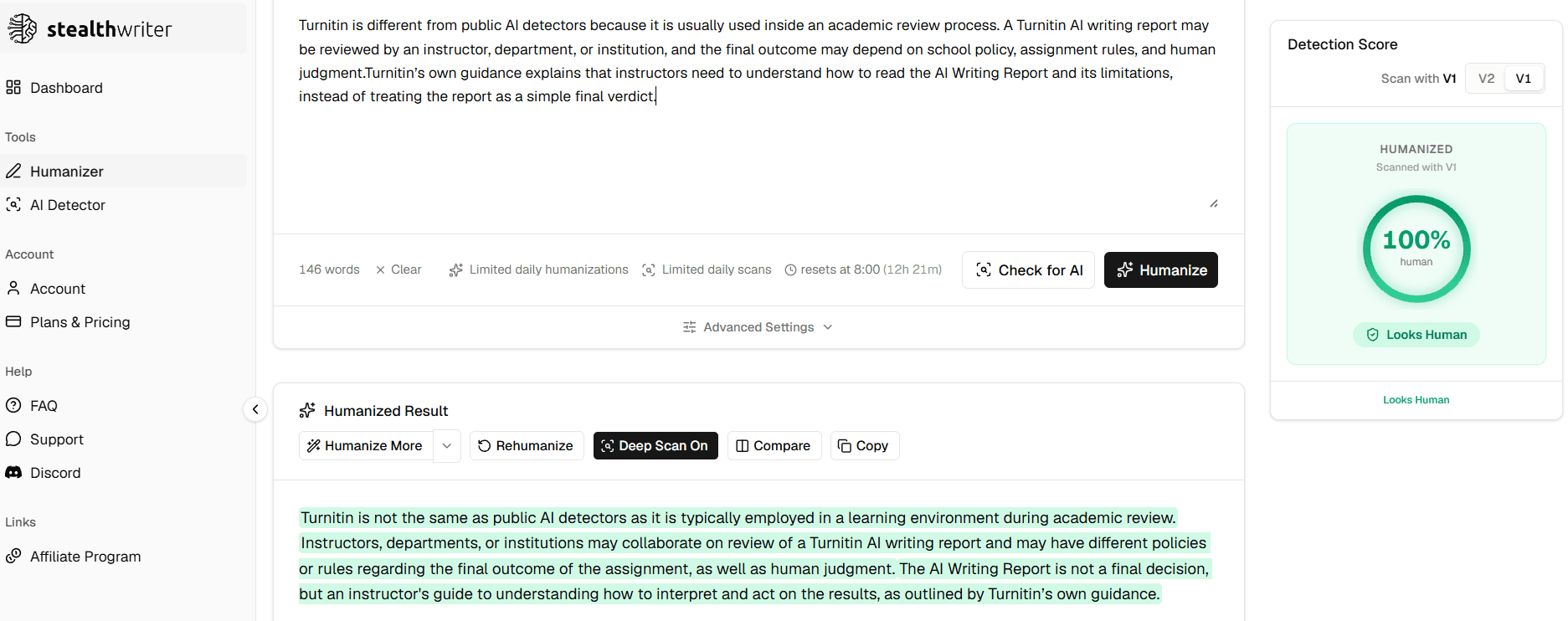
Does StealthWriter Pass GPTZero and Turnitin? Real Test Expectations in 2026
Does StealthWriter pass GPTZero and Turnitin? Learn why StealthWriter’s built-in human score may not...
 Ethan Miller
HIX Bypass Pricing Explained: Is It Worth Paying For in 2026?
A practical look at HIX Bypass pricing, paid-plan value, word limits, refund terms, and whether it i...
Ethan Miller
I Tested 7 Paid AI Humanizers: Which Ones Are Actually Worth Paying For?
I tested 7 paid AI humanizers to see which tools are worth paying for, which need more testing, and ...
Ethan Miller
Does Hixbypas Work in 2026? Fast, and Aggressive Modes Tested
Does Hixbypas, or HIX Bypass, actually work? I tested Fast and Aggressive modes to compare rewrite q...
Ethan Miller