
Does Canvas Detect AI in 2026? What Students MUST Know

Summary
Stronger monitoring only happens when schools integrate third-party tools like LockDown Browser, Proctorio, Turnitin, or Copyleaks. These tools still have accuracy limits and can be bypassed by new AI browser extensions.
The article advises educators to rely on process-based assessment, not monitoring alone, and encourages students to produce natural writing—polished with tools like GPTHumanizer—to reduce false positives.
The rise of the internet as a place to learn means that Canvas is now one of the most-used learning management systems in higher education. As more and more students are taking assessments online, one question that keeps popping up is the following: does Canvas have cheating detection? The answer to that question is more complicated than a simple yes or no.
What is Canvas
Canvas by Instructure is a learning management system (LMS) widely used in higher education. It allows schools and universities to manage assignments, grades, course content, and communication between students and instructors. It brings all assignments, course content, grades and communication between teachers and students in one place. Teachers can create and organise course content, assess student work and give feedback while students can submit their work, collaborate and engage with their course. Canvas also integrates with plagiarism checkers and AI detectors to promote academic integrity.
What Canvas Can Actually Detect
Canvas has a number of features to try to detect cheating, including its quiz logs which track the opening of new tabs or browsers during an exam, the recording of all of the suspicious activity and the reporting of it. It is important to recognise what Canvas can actually do.
New AI tools and browser extensions have emerged that can adjust Canvas's native security features. These tools allow students to interact with quiz content outside the Canvas environment, making it difficult for Canvas to track such activities. These extensions are invisible to the browser, the AI browser inspects the quiz question and reports it back to the user. This is a problem because in this scenario all of the activity is happening in the browser. This means that faculty will not have a way of finding evidence of cheating in the Canvas logs.
The Quiz Log Reality
Canvas primarily relies on quiz logs, which can only capture activities within the browser window running the quiz. It cannot track activities in other browsers or external applications, such as second devices (phones, tablets) used by students. This is an important point that is often overlooked.
Instructors' version of Canvas, the parent company of Canvas, says that "quiz logs should not be used to validate academic integrity or to identify occurrences of cheating" as the first note on their guide page. This statement should be enough for everyone to understand that there are limits to what Canvas can do on its own.
What Canvas Cannot Detect on Its Own
Canvas cannot monitor screen sharing, and a professor can only know when a student logs into Canvas and what files they have opened. Canvas cannot see what is happening in a browser window outside of the one that it is in.
If a student is taking a quiz in Chrome, the Canvas logs cannot tell you anything about what is going on in Firefox, a Spotify app or another tab within Chrome itself. This means that if a student uses a second device such as a phone or tablet to look up answers, they are in a blind spot for Canvas's native detection.
The Role of Third-Party Integration
Canvas's power to detect cheating is much greater if you integrate additional tools into it. Canvas has the ability to integrate proctoring software that watches both what students are doing on their screen and their behavior through a webcam. Some of the most popular integrations with Canvas are:
● The LockDown Browser from Respondus that locks the browser and also prevents them from accessing any applications;
● Proctorio that watches students through what they are doing on their webcam;
● Turnitin which looks at plagiarism in written assignments;
● Browser extensions from the companies Integro that can look at what you write and detect if it's machine-like;
Without these things Canvas's detection is limited to just logging basic activity.
The AI Detection Challenge
Cornell faculty have been receiving reports in April 2025 of AI browser extensions designed to cheat on Canvas quizzes, and this is the type of cheating Canvas cannot see through its monitoring, they said. This is the cutting edge of academic integrity.
AI writing tools can produce entirely original essays and reports, which can make them harder to detect with old methods of checking for plagiarism because students can submit solutions produced by AI tools and bypass the learning. Canvas can integrate tools to detect some types of AI content but it doesn't have the ability to detect AI content itself. It would be hard to detect cheating with tools like that, especially when navigating the technical challenges and ethics of AI detection in academia remains a complex and evolving task for institutions worldwide.
Practical Implications for Students and Educators
Knowing what Canvas can and can't do helps students and teachers understand how to approach online assessments. One teacher said that while the Lightspeed Relay and other tools have limitations it was more with some types of Canvas assessment that you can't see 100% of the student's screen - but it was more about whether or not they are willing to check the logs or not.
Some teachers said that they don't check the canvas history for students and therefore will not know if students have cheated, which is why students can cheat in Canvas. It's not that Canvas can't log it - it's that people don't look at it.
Best Practices for Maintaining Academic Integrity
Rather than looking to technology to detect cheating, experts say that teachers should be asking process-based questions, where they ask students to show what their process is to ensure that they have met learning outcomes. This could be asking students to do a file upload of handwritten work or their solution documents.
For students worried about the pressures of school, remember that cheating is making it harder for you to learn and that if you are feeling like you can't get through you should reach out for help.
Ensuring Your Written Work Meets Standards
For students working on Canvas assignments and essays ensuring your written work appears natural has become increasingly important. While completing assignments with integrity many students use AI tools for brainstorming or outlining but worry their final drafts could trigger a false positive in detection software.
This is where tools such as GPTHumanizer come in handy. After creating original work students can fine-tune their writing to ensure it reads natural and authentic. Head over to gpthumanizer.ai to find out how proper writing refinement can help your genuine work shine whilst maintaining its originality and your own voice.
Frequently Asked Questions
Q: Can Canvas detect if you are switching tabs while taking a quiz?
A: Canvas quiz logs can only detect page navigation within the Canvas browser window. It cannot monitor other browsers, tabs, or applications unless additional proctoring tools, like LockDown Browser, are used.
Q: Can Canvas tell you if you are using your phone while taking an exam?
A: Canvas does not have the ability to track phone usage. However, webcam proctoring tools like Proctorio can monitor students’ environments during exams.
Q: Can Canvas tell when you copy and paste?
A: Canvas itself does not detect copy paste, however if a teacher has enabled plagiarism detection software such as Turnitin copied content will be flagged when you submit your assignments.
Q: What Does Canvas Use For AI Detection?
A: It must be made clear that Canvas LMS (Learning Management System) does not have a native AI detection tool built in. However, it has the ability to integrate third party tools that include AI detection. It links in to third-party tools like Turnitin, Copyleaks and Compilatio that use a variety of techniques to identify AI-generated text. These tools look at writing style, vocabulary, syntax and the probability of certain phrases appearing in AI-generated text and flag any suspicious submissions for review. The tools are not 100% accurate so an instructor needs to look through the report to decide if there is an issue.
Q: How accurate are Canvas quiz logs?
A: Canvas quiz logs show partial information and can be affected by internet connectivity issues, browser extensions and technical glitches. Canvas administrators recommend not using logs as standalone evidence of cheating.
Q: Can Canvas detect AI written content?
A: Canvas does not have built-in AI detection capabilities. Institutions must integrate third-party tools like Turnitin or Copyleaks for AI content detection, which are still developing and not fully accurate.

Related Articles
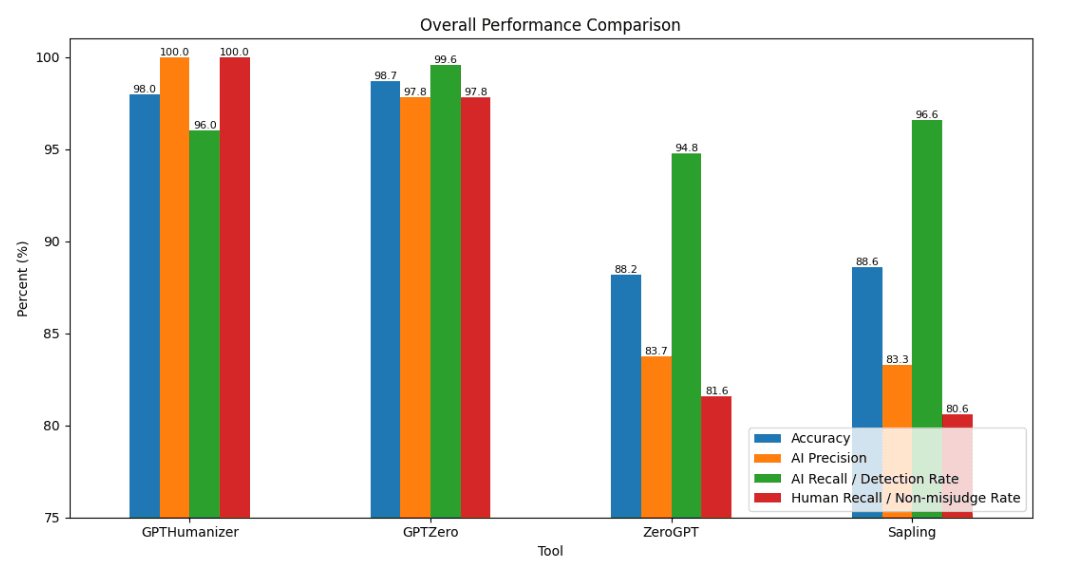
2026 AI Detector Benchmark: Can You Really Trust AI Detectors?
We tested GPTHumanizer, GPTZero, ZeroGPT, and Sapling on 1,000 English texts to compare AI detection...
 Ethan Miller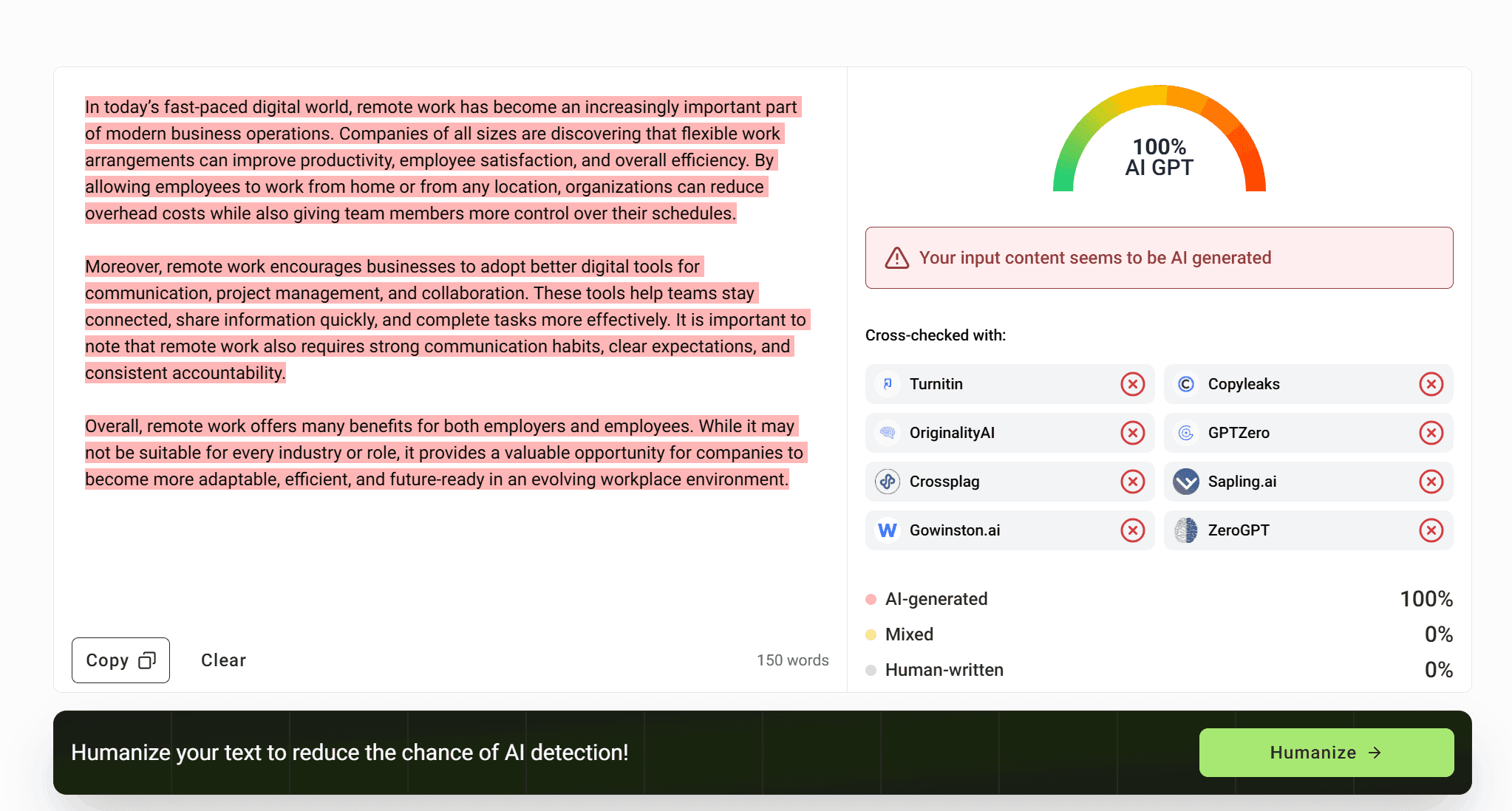
GPTinf AI Detector Review: Is Its Checker Actually Reliable?
GPTinf AI Detector review with real tests on AI text, human writing, GPTinf output, GPTHumanizer AI ...
Ethan Miller