
Free AI Humanizer for Bloggers: Better Blog Edits Without Sign-Up

Summary
If you are a blogger, the best free AI humanizer is usually not the one that sounds the most generous on paper. It is the one that helps you fix awkward blog sections quickly, keeps the output stable, and does not slow you down with login friction every time you want to edit. That is why, for bloggers, I care more about editing workflow than flashy “free” claims.
That is also why I would frame this topic a little differently from a generic free-tool roundup. Bloggers do not just need “free.” They need a tool that can help with intros, body sections, repetitive AI-sounding paragraphs, FAQ blocks, transitions, and conclusions without turning a simple edit into a chore. If you want the broader decision-first version, this guide to the best free AI humanizer with unlimited words and no sign-up explains why usability matters more than the free label itself.
What bloggers actually need from a free AI humanizer
A lot of articles on this topic quietly assume that bloggers are always looking for one-click full-post rewriting. I do not think that is the most realistic way to look at blog editing.
Most blog editing happens in sections.
You tighten the intro because it sounds stiff. You fix one comparison block because it feels too smooth and generic. You clean up a conclusion because it lands flat. You rewrite one FAQ answer because it sounds like it came straight out of a content generator. That is the real workflow for a lot of blog writers, especially when they are editing AI-assisted drafts.
So when I look at a free AI humanizer for bloggers, I am not only asking how much text it can accept. I am asking whether it is actually useful in these repeated editing moments.
That changes the evaluation a lot.
How I evaluated free AI humanizers for blog editing
For bloggers, I think four things matter most.
1. Output stability
This matters more than many comparison posts admit. A tool that gives you one decent result and then two strange ones is hard to trust in a real writing workflow.
When I edit blog content, I want the tool to sound reasonably consistent from one section to the next. Not identical. Just dependable.
2. Paragraph-level usefulness
A blog tool does not need to win every category to be useful. But it should be genuinely helpful on the kinds of edits bloggers make all the time: intros, explanation blocks, body paragraphs, CTA sections, and FAQs.
That is very different from a tool that is only good for sentence cleanup.
3. Friction
This one matters a lot in practice. If I have to log in, verify something, dismiss upgrade prompts, or keep fighting access barriers, I am far less likely to use the tool in the middle of editing.
For bloggers, speed matters. The easier it is to open, paste, test, and move on, the more likely the tool becomes part of a real workflow.
4. Repeatable free use
Some tools feel fine once. Then you come back and realize the free layer is too narrow to support ongoing use.
That is where many “free” products fall apart. They may be fine for a quick demo, but not strong enough to become part of normal blog editing. That is also why our broader hands-on comparison of free AI humanizers is useful here. It shows pretty quickly which tools behave like real free options and which ones behave more like previews.
The free AI humanizers that make the most sense for bloggers
If I narrow this down specifically for blog editing, a few tools stand out for different reasons.
GPTHumanizer: best overall for section-by-section blog editing
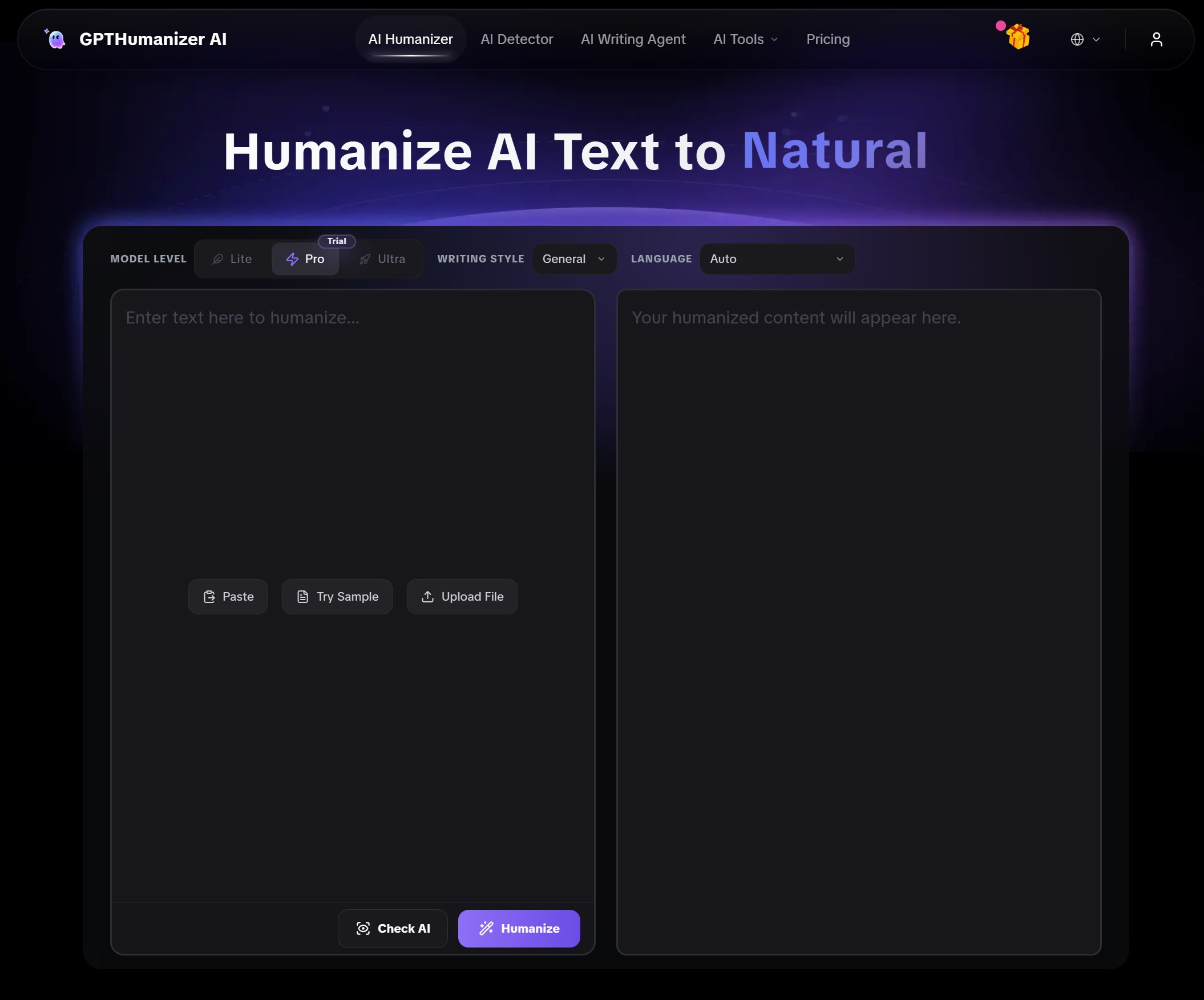
This is the one I would put first for bloggers who want a fast, no-sign-up workflow and care about stable editing quality.
The main reason is simple: it feels practical. You can open it quickly, work through blog sections without much friction, and the output is more stable than a lot of free tools in this category. That matters a lot when you are revising multiple parts of a post and do not want every section to suddenly sound like it came from a different machine.
I also think it fits blog editing particularly well because bloggers often work in blocks anyway. Intro first. Then body sections. Then FAQ. Then conclusion. In that kind of workflow, stability and repeat use matter more than hype.
Also, this is where GPTHumanizer feels smarter than many “free” competitors. The free experience is useful on its own, but it also fits into a broader editing path for bloggers who later want more control, larger sections, or more advanced rewriting options. So it does not feel boxed in.
Here is the kind of blog edit where this workflow helps.
Blog intro example
Before:
In today’s digital world, creating high-quality content is more important than ever for bloggers who want to stand out online.
After:
Good blog content is not just about publishing more. It is about making each section clear, useful, and worth reading.
The rewritten version avoids the predictable “in today’s digital world” opening while keeping the topic focused on blog quality.
Paragraph transition example
Before:
Another important factor to consider is that AI-generated content can sometimes sound repetitive and unnatural.
After:
The next issue is repetition. Even when the information is correct, AI-assisted paragraphs can start to sound too similar.
The second version makes the transition feel more natural and less formulaic.
MyDetector: a practical option if you want roomier free editing
MyDetector makes sense for bloggers who want to work on somewhat larger chunks at a time and do not mind a slightly different trade-off.
I would not put it above GPTHumanizer for overall editing feel, but it is one of the more practical options in the free category. If your main concern is getting enough room to work comfortably on blog sections, it earns a place in the conversation.
The downside is that it does not feel quite as strong to me on overall rewrite quality. It is more of a practical utility than a tool I would choose first for cleaner, more polished blog refinement.
Smodin: decent for lighter ongoing blog cleanup
Smodin is not the most exciting tool in the category, but that is not always a bad thing. For bloggers, it can work as a light editing option when the goal is not deep transformation, but general cleanup.
I would put it in the “reasonable and usable” bucket rather than the “best-in-class” bucket. It makes sense for lighter blog maintenance, but I would still lean toward GPTHumanizer if I cared more about naturalness and editing consistency.
QuillBot: better for sentence cleanup than true blog editing
QuillBot is a familiar name, and that matters because many bloggers will try it first. But I do not think it is the strongest free AI humanizer if your goal is actual blog editing.
It works better for short cleanup tasks than for more meaningful paragraph-level rewriting. If your blog workflow is mostly sentence trimming or quick polishing, it can still be useful. But if you want something that helps sections feel more natural and less AI-shaped, I do not think it is the best fit.
AISEO: usable, but not my favorite free workflow
AISEO has some usefulness, but I would not call it my favorite choice for bloggers on a free workflow. It leans more toward that trial-like feeling where the experience is technically open, but not especially comfortable.
That does not make it bad. It just makes it less appealing if you are someone who edits blog content frequently and wants a tool that feels easy to return to.
Why GPTHumanizer fits bloggers especially well
If I am being direct, I think GPTHumanizer makes the most sense for bloggers because it aligns with how real blog editing usually works.
Bloggers do not just throw a post into a box and hope for magic. They go section by section. They adjust tone. They improve rhythm. They rewrite weak transitions. They fix FAQ answers that sound robotic. They soften overly polished paragraphs so the article feels more natural.
That is exactly the kind of workflow where GPTHumanizer feels strong.
It is fast to access. It is easy to repeat. It does not make the free experience feel fake. And the output is stable enough that the tool feels usable rather than frustrating.
I would also say this: for blog writing, consistency is often more valuable than occasional brilliance. A tool that gives you solid, dependable rewrites across multiple sections is usually more useful than one that produces one flashy result and then becomes uneven. That is one reason I keep coming back to GPTHumanizer in this category.
When another tool may fit better
I do not think every blogger should automatically use the same tool.
If you care more about working through roomier chunks in a single pass, a tool like MyDetector may feel more practical.
If your needs are lighter and you mostly want surface cleanup, Smodin or even QuillBot may be enough.
But if the goal is better blog edits without sign-up friction, and you want a tool that feels easy to use repeatedly, GPTHumanizer is the one that makes the most sense to me.
That is really the dividing line in this category. Not which tool sounds the most impressive in marketing, but which one actually fits the rhythm of blog editing.
Conclusion
For bloggers, the best free AI humanizer is not always the one with the biggest promise or the loudest free label. It is the one that helps you improve intros, body sections, FAQs, transitions, and conclusions without interrupting your workflow every few minutes.
That is why I would put GPTHumanizer first for this use case. It feels more like a real editing tool and less like a gated demo. And for bloggers, that difference matters more than people think.
FAQ
Q: What is the best free AI humanizer for bloggers?
A: For bloggers, the best free AI humanizer is usually the one with stable output, low friction, and repeatable use. GPTHumanizer stands out because it fits real blog editing better than most free alternatives.
Q: Why is no-sign-up access important for bloggers using a free AI humanizer?
A: No-sign-up access matters because bloggers often edit in quick sessions. A tool that opens fast and works immediately is much easier to use in a real writing workflow.
Q: Is QuillBot a good free AI humanizer for blog editing?
A: QuillBot is more useful for sentence cleanup than deeper blog editing. It can help with short fixes, but it is not my first choice for paragraph-level blog refinement.
Q: What should bloggers look for in a free AI humanizer?
A: Bloggers should look for stable output, paragraph-level usefulness, low access friction, and a free workflow that still feels usable after the first test.
Q: Can a free AI humanizer still support more advanced blog editing later on?
A: Yes. A strong free workflow is useful for everyday blog edits, while more advanced options can support heavier rewriting or larger editing needs as the workflow grows.

Related Articles

HIX Bypass Pricing Explained: Is It Worth Paying For in 2026?
A practical look at HIX Bypass pricing, paid-plan value, word limits, refund terms, and whether it i...
 Ethan Miller
Does Hixbypas Work in 2026? Fast, and Aggressive Modes Tested
Does Hixbypas, or HIX Bypass, actually work? I tested Fast and Aggressive modes to compare rewrite q...
Ethan Miller
Best HIX Bypass Alternative: Free, No-Sign-Up AI Humanizer Compared
Looking for a HIX Bypass alternative? Compare HIX Bypass with GPTHumanizer for free access, no-sign-...
Ethan Miller
StealthGPT AI Review 2026: Features, Pricing, Output Quality, and Alternatives
I reviewed StealthGPT AI across pricing, features, rewrite quality, and real writing use cases. See ...
Ethan Miller