
Natural Write Review 2026: Feature, Pricing & Comparison

Summary
| Review Point | Natural Write Result |
|---|---|
Free access | Login required; 300 free words in my test |
Starting paid plan | $4.99/month annually for 5,000 words/month |
Best for | Short drafts, quick cleanup, smoother phrasing |
Main weakness | Limited rewrite depth and inconsistent sentence quality |
Final verdict | Worth trying, but not enough to judge from one free sample |
What Is Natural Write? (Overview)
Natural Write is an AI “humanizer” that rewrites AI-drafted content to sound natural. The process is minimal: paste text, run an AI likelihood, click to rewrite. The site relies heavily on confidence language.
What I liked immediately was how simple the workflow felt. Natural Write does not bury the user under too many controls. It is clearly built for people who want to paste a draft, check it quickly, and get a cleaner version without spending much time learning the interface.
I came in skeptical, of course, because a clean UI doesn’t tell you what the rewrite engine is going to do when you go past a short paragraph.
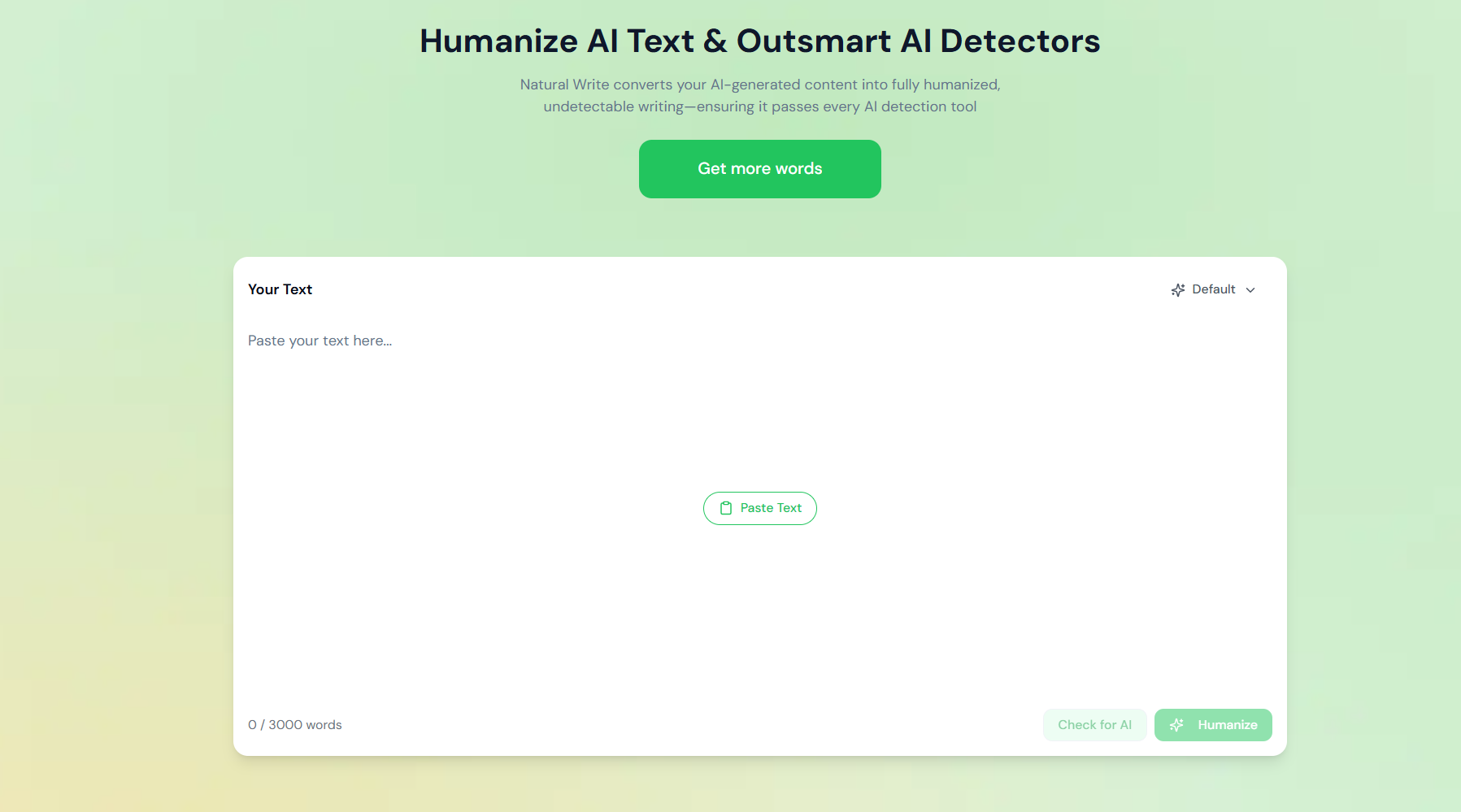
Natural Write Core Feature
AI Humanizer
This is the core feature I focused on. In my test scenarios, the rewrite often leaned more toward smoothing than rebuilding. You usually get cleaner transitions and more readable language, but the overall structure of the draft often remains recognizable.
That is not necessarily a bad thing. If you already like your draft but just want it to feel a bit looser, that’s exactly what you want.
That is helpful if you want a quick polish, but less helpful if you want a noticeably different rhythm, structure, or voice.
Natural Write AI Detector
Natural Write also includes an in-house AI detector. I would treat that kind of score as a signal, not proof. AI detectors often disagree with each other, and a built-in detector score should not replace human review of the final writing quality.
Natural Write Pricing and Free Trial
Natural Write is not fully paid-only, but I would not call it a practical free AI humanizer either. In my test, Natural Write required login and gave 300 free words. That is enough to understand the interface and run a small sample, but it is not enough to evaluate repeated rewrites, longer drafts, or long-term output consistency.
After the short free quota, Natural Write’s paid plans become relevant quickly. On the pricing page I checked, the annual billing view showed four plans: Basic, Pro, Ultra, and Unlimited. The prices were shown as monthly equivalents when billed annually.
Plan | Annual Billing Price Shown | Word Limit | Main Features Shown |
|---|---|---|---|
Basic | $4.99/month, billed annually | 5,000 words/month | Basic AI Humanizer, Basic AI Detection, Basic Paraphraser, Basic Grammar Checker, multilingual support, My Writing Style |
Pro | $9.99/month, billed annually | 15,000 words/month | Advanced AI Humanizer, Advanced AI Detection, Advanced Paraphraser, Advanced Grammar Checker, multilingual support, My Writing Style |
Ultra | $19.99/month, billed annually | 30,000 words/month | Advanced AI Humanizer, Advanced AI Detection, Advanced Paraphraser, Advanced Grammar Checker, multilingual support, My Writing Style, fast processing, priority support |
Unlimited | $39.99/month, billed annually | Unlimited words/month | Advanced AI Humanizer, Advanced AI Detection, Advanced Paraphraser, Advanced Grammar Checker, multilingual support, My Writing Style, fast processing, priority support |
The pricing is not unusually expensive compared with many paid AI humanizer tools, especially on annual billing. The real question is whether Natural Write’s output quality justifies paying after such a short free test.
My take: the 300-word free quota is useful, but too short to prove whether Natural Write is worth paying for. A tool can look good on one short sample and still be inconsistent across emails, blog paragraphs, and formal explanatory text. Based on my tests, Natural Write is most defensible as a paid tool if you mainly need fast light polishing on short drafts. If you need deeper rewriting, stronger rhythm changes, or more reliable sentence-level accuracy, I would test carefully before subscribing.
I also compared Natural Write against other paid AI humanizers with short free trials here: I tested 7 paid AI humanizers to see which ones are actually worth paying for.
Who Should Use Natural Write?
If I had to sum up Natural Write in one sentence, I would call it a fast cleanup tool for short AI-generated drafts. It works best when the draft already has the right meaning, but the phrasing feels too stiff, repetitive, or evenly paced.
It is appropriate if:
- You edit short drafts such as emails, intros, blurbs, and social posts.
- You value speed and a clean interface more than deep rewrite control.
- You want smoother phrasing without changing the structure too much.
It is not appropriate if:
- Your draft is long, technical, or meaning-sensitive.
- You need stronger sentence restructuring or a more distinct voice.
- You want to fully evaluate a tool before paying, because the free quota is too short for that.
Natural Write Hands-On Test
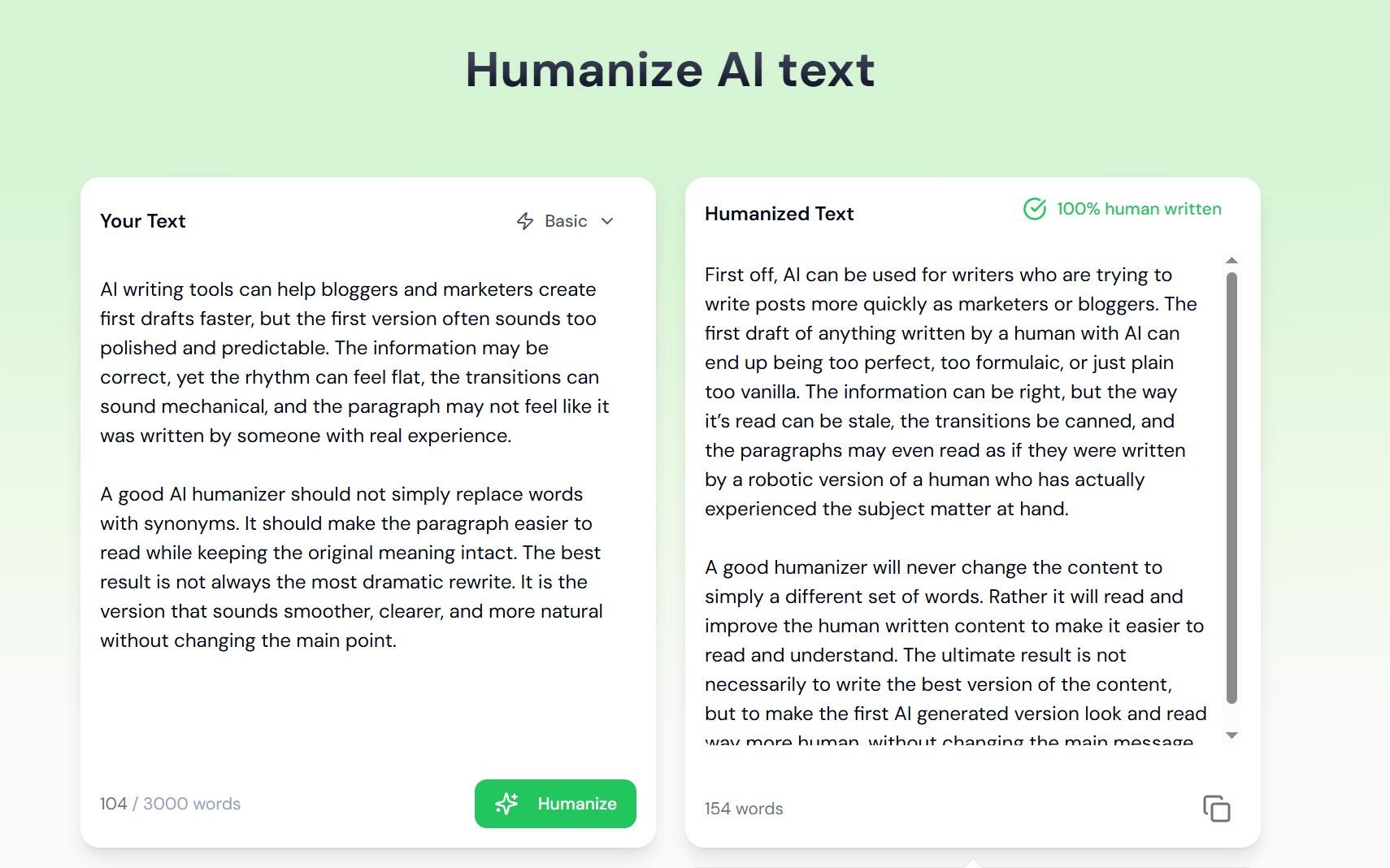
To test Natural Write more fairly, I used three short samples: a blog-style paragraph, a short work email, and a formal explanatory paragraph. These three samples cover the situations where users usually care most about an AI humanizer: making text sound less generic, softening tone, preserving meaning, and avoiding awkward rewrites.
I did not judge Natural Write by detector scores alone. For this review, I cared more about the final writing quality: whether the rewrite became clearer, more natural, and still faithful to the original message.
Test Dimension | Why It Matters | Natural Write Result | My Take |
|---|---|---|---|
Meaning retention | A humanizer should not change the core message, facts, or intent. | Mostly good | Natural Write usually kept the main idea, especially on short and simple drafts. However, a few phrases slightly changed the framing, so the output still needs review. |
Readability improvement | Users want the rewritten version to be easier to read, not just different. | Good on simple text | Natural Write often made the text smoother and easier to follow, especially in the short email test. This is one of its stronger areas. |
Natural tone | The output should sound like something a person would actually write. | Mixed | Natural Write sometimes made the tone warmer and more conversational, but it also added phrases that felt forced or overly casual in the wrong context. |
Rewrite depth | A useful humanizer should improve rhythm and structure, not only swap words. | Limited | The rewrite often stayed close to the original structure. It worked more like light polishing than deep rewriting. |
Grammar and sentence quality | A good rewrite should not introduce new grammar problems. | Inconsistent | One formal test produced a grammar issue: “without altered the main idea.” That matters because the original sentence was already clean. |
Output length and concision | A humanizer should not make the text longer unless it improves clarity. | Mixed | Some outputs became wordier. Natural Write added casual language, but that did not always make the result stronger. |
Best-performing use case | Users need to know where the tool actually works well. | Short email | Natural Write performed best when softening a short work message. It made the tone friendlier while keeping the main request clear. |
Weakest-performing use case | Users need to know when the tool is less reliable. | Formal explanatory text | Natural Write was less convincing when the original text needed precise, clean explanation. It preserved meaning fairly well but did not reliably improve the writing. |
Editing required after output | The real value depends on how much cleanup the user still needs to do. | Moderate | I would not treat the output as ready to use. Natural Write can provide a useful first rewrite, but the result still needs manual editing. |
Paid value from free test | A short trial should help users decide whether paying makes sense. | Not enough proof | The 300-word free quota is enough for a first impression, but not enough to judge long-term consistency or paid-plan value. |
Test Takeaway
Natural Write is useful when the goal is quick light polishing. It can make short AI-generated drafts smoother, warmer, and easier to read, especially when the original text is already clear.
The main limitation is consistency. In the tests, Natural Write sometimes improved tone and readability, but it also introduced awkward phrasing, wordiness, and even a grammar issue in a formal explanatory paragraph. That means the tool is not something I would trust as a one-click final editor.
My overall view is that Natural Write works best for short, simple drafts that need a cleaner surface. It is less convincing for deeper rewriting, more precise explanatory content, or situations where sentence-level accuracy matters. Because the free quota was only 300 words in my test, I would treat Natural Write as a limited-trial AI humanizer rather than a practical free tool.
Pros & Cons of Natural Write
Natural Write’s biggest advantage is speed. It is easy to open, easy to understand, and fast enough for quick cleanup tasks. The trade-off is rewrite depth. If you want to reshape a draft more strongly, Natural Write can feel more like a surface polish than a full rewrite.
Pros
Clean and simple interface
Fast output on short drafts
Good for light readability improvement
Useful when the original meaning and structure are already clear
Includes related tools such as an AI detector and paraphraser
Cons
Login is required before using the free quota
The free quota is only 300 words in my test
Rewrite depth is limited compared with stronger humanizers
Output can still feel too uniform or AI-smooth
Limited free access makes it hard to judge paid value properly
When a Natural Write Alternative Makes More Sense
Natural Write is worth trying if you want a fast, simple cleanup tool. But if your main concern is the short free quota, it makes sense to test a no-login AI humanizer before paying.
In my test, Natural Write gave 300 free words after login. That is enough for a first impression, but not enough for repeated testing. GPTHumanizer AI may be a better starting point if you want to test humanization with unlimited usage without creating an account first.
I would not frame this as “Natural Write is bad and GPTHumanizer AI is always better.” The more practical point is simpler: Natural Write is useful for fast light polish, while GPTHumanizer AI is easier to evaluate before paying because its Lite workflow is free to use without signing up.
Final Verdict of Natural Write Review
Natural Write is worth trying if you want a fast tool for light cleanup. It can make short AI-generated drafts smoother, clearer, and easier to read. If your main goal is quick readability improvement, the tool does its job reasonably well.
The limitation is rewrite depth. Natural Write often keeps the original structure, rhythm, and sentence pattern, which means the output can still feel polished but slightly uniform. That may be fine for quick emails or short blurbs, but it is less convincing for longer drafts or content that needs a stronger voice.
The free trial also affects my recommendation. Because Natural Write requires login and only gives 300 free words in my test, I would treat it as a limited-trial AI humanizer rather than a practical free tool. That free quota is enough for a first impression, but not enough to judge paid value across multiple content types.
My final take: Natural Write is useful for fast polishing, but I would not pay for it based on one short sample alone. Test it on the kind of content you actually write, and only pay if the tool consistently saves editing time without weakening meaning or voice.
FAQ About Natural Write
Q: Is Natural Write free to use?
A: Natural Write is free only in a limited trial sense. In my test, it required login and gave 300 free words. That is enough to test the workflow once, but not enough for repeated rewriting or long-form evaluation.
Q: How does Natural Write compare to GPTHumanizer AI in terms of quality?
A: Natural Write usually improves readability with lighter edits, which can be useful for short drafts. But it often keeps the original structure, so the writing can still feel uniform.
GPTHumanizer AI may be a better fit if you want deeper rewriting and repeated testing before paying. Its Lite workflow is free to use without signing up.
Q: How do I cancel my Natural Write subscription?
A: Natural Write’s FAQ and terms indicate you can cancel inside your account settings/portal.
If you subscribed through a different storefront/domain, follow the cancellation method shown in that account’s billing page.
Q: Does Natural Write support refunds?
A: This is where things get messy. One “Refund Policy” page lists a tight refund window and usage limits, but their Terms of Service also state purchases are non-refundable. So the practical answer is: check which site/domain you purchased from and what terms were shown at checkout, then contact their support with your invoice details.
Q: How to delete a Natural Write account?
A: Their site points users to account management and support contact routes.
If there isn’t a self-serve delete button, the usual route is emailing support and requesting account deletion under their privacy policy process.
Q: Is Natural Write legit?
A: Natural Write appears to be a real product with an active website, public tool pages, and user-facing account features.
That said, “legit” does not automatically mean it is the best fit for every user. Test the output with your own content, check the current free quota, and review the billing terms before paying.

Related Articles

HIX Bypass Pricing Explained: Is It Worth Paying For in 2026?
A practical look at HIX Bypass pricing, paid-plan value, word limits, refund terms, and whether it i...
 Ethan Miller
Does Hixbypas Work in 2026? Fast, and Aggressive Modes Tested
Does Hixbypas, or HIX Bypass, actually work? I tested Fast and Aggressive modes to compare rewrite q...
Ethan Miller
Best HIX Bypass Alternative: Free, No-Sign-Up AI Humanizer Compared
Looking for a HIX Bypass alternative? Compare HIX Bypass with GPTHumanizer for free access, no-sign-...
Ethan Miller
StealthGPT AI Review 2026: Features, Pricing, Output Quality, and Alternatives
I reviewed StealthGPT AI across pricing, features, rewrite quality, and real writing use cases. See ...
Ethan Miller