
The Best Free AI Humanizer with Unlimited Words (No Sign-Up Required)

Summary
Most free AI humanizers sound useful until the limits get in the way. The better question is not just whether a tool is free, but whether the free version is actually practical to use. GPTHumanizer stands out because it offers no sign-up, unlimited use, and a smoother day-to-day workflow than many trial-style alternatives. It works especially well for blog edits, emails, marketing copy, and awkward AI-written text that needs a more natural flow. This guide explains why that matters, what makes a real free plan different, and how GPTHumanizer compares with other common options.
Introduction

AI-generated writing tools have become ubiquitous in academic, professional, and personal contexts. As models improve, users are increasingly utilizing AI tools for anything from generating drafts, to creating summaries, to writing explanations and even full-length documents. Despite this increase in usage, there has been a constant problem with AI outputs across the board: they all exhibit familiar characteristics—predictable sentence structure, repetitive transitions, limited variation in tone. These traits mean that AI-generated content is easy to spot, both by humans and by popular AI-detection tools .
This has created a need for AI humanizer tools that enable natural rewriting of AI content. As a result, many AI humanizer tools have been developed. However, most of these tools follow a similar free tier model: either a limited amount of free usage (e.g., 100 words of trial), or restricted rewriting functionality in the free tier that is lifted with a paid plan. As a result, many users who write longer documents (e.g., essays, research papers) or who have recurring writing tasks (e.g., weekly reports) often find that the free tier is insufficient for their needs.
Unlike many free AI humanizers, GPTHumanizer offers a free Lite model with no sign-up and unlimited use. That makes it much easier to test, reuse, and fit into everyday writing workflows. Instead of feeling like a locked trial, the free version is open enough to be genuinely useful.
That is what makes it stand out. A lot of tools say they are free, but the experience feels more like a demo. GPTHumanizer takes a more usable approach: open access, no login friction, and a free version people can actually keep using.
What is GPTHumanizer AI?
GPTHumanizer is an AI-based rewriting system that transforms the linguistic patterns of the input text to read more like human writing. Specifically, the tool reconfigures the structure, rhythm, and stylistic characteristics of a sentence, rather than simply swapping individual words. This is part of a larger shift in rewriting from surface-level paraphrasing to deeper transformations that incorporate contextual, tonal, and structural variations.
GPTHumanizer is an AI text humanizer that helps AI-written text sound more natural, smoother, and easier to read. Instead of only swapping words, it also changes sentence flow, phrasing, and tone so the result feels less stiff.
The free Lite model does not require an account, which makes it easy to test right away. It is built for people who want a low-friction workflow instead of a trial wall or forced sign-up before they can even try the tool.
It also supports multiple writing styles and several major languages. That makes it useful for everyday tasks like blog edits, emails, short marketing copy, and awkward English cleanup, not just one narrow use case.
Key Differentiators: What makes GPTHumanizer AI Unique?
1. Unlimited Use Without Sign-Up
Many free AI humanizers sound generous until you hit the real restriction. Some lock the tool behind login, some make the free version feel tiny, and some are basically just trials. GPTHumanizer keeps things simpler: no sign-up and unlimited use in the free Lite model. That makes it much easier to use in normal day-to-day writing instead of one-off testing.
2. No Sign-Up Required
GPTHumanizer does not require account creation. Many tools in this category request sign-up or login even for limited free tiers. Removing this barrier simplifies access and supports quick, repeated, or time-sensitive writing needs.
3. Structural Rather Than Surface-Level Rewriting
GPTHumanizer doesn't simply replace synonyms. It restructures sentences, changing the pacing and organization of clauses. This provides less obvious and predictable structure than the typical synonym replacement pattern and is more representative of natural variation.
4. Meaning Preservation Across Styles and Languages
The system preserves semantic content, varying the structure, style, and vocabulary for natural variation. The risk of factual distortion is minimized and accuracy in rewriting is maintained for academic or technical tasks.
5. Better for Reducing Robotic Patterns, Not for Making Guarantees
GPTHumanizer is stronger when you want text to sound less stiff, repetitive, or obviously AI-shaped. It works by changing flow and structure, not just replacing words. That said, detector scores should be treated as a supporting signal, not a promise. What matters most is whether the rewrite actually reads better and feels more natural.
6. Multilingual Support Uncommon in Free Tiers
The free tier of most humanizers offers English only. By offering 11+ major languages, GPTHumanizer is a more suitable option for multilingual and international writing.
Deep Comparison: GPTHumanizer AI vs. Other Top AI Humanizers
Free AI humanizers are not all free in the same way. Some are open enough for normal use. Some are fine only for short text. And some are really just trials with a “free” label on top.
Here is a quick snapshot of a few representative options:
Tool | Free Access | Login | Limit | Best for |
|---|---|---|---|---|
GPTHumanizer AI | Open free use | No | 300w/run, unlimited use | Best overall everyday use |
MyDetector AI Humanizer | Free with limits | No | 50,000 chars/run, 20/mo | Longer rewrites with a monthly cap |
Smodin | Free with limits | No | 2,000w/run, 5 free uses | Light ongoing use |
QuillBot AI Humanizer | Open free use | Yes | 125w/run, unlimited | Short emails and sentence cleanup |
Phrasly / Walter Writes | Trial-style free access | Yes | Short trial limits | Quick testing, not real ongoing use |
The main pattern is simple: the best free tools are the ones that are actually usable, not just technically free. If you want the full market breakdown, tool-by-tool results, and which options are worth trying first, read 20 Free AI Humanizers Compared in 2026: Plans, Limits, and Login Requirements.
Why Most Free AI Humanizers Still Struggle
Many free AI humanizers are not weak because the idea is bad. They struggle because the free layer is too restricted to support real use.
1. The free version is often too small to matter
A lot of tools only give users a tiny sample, which is enough for testing but not enough for normal rewriting.
2. Access usually comes with friction
Sign-up walls, trial limits, and locked features make the free experience feel more like a demo than a real workflow.
3. The free output is often shallower than the paid version
Many tools reserve deeper rewriting for paid users, so the free result feels closer to surface paraphrasing than true humanization.
Who Should Use GPTHumanizer AI?

GPTHumanizer makes the most sense for people who want a free tool they can actually keep using, not just test once and abandon.
1. Bloggers and content editors
If you regularly clean up drafts, tighten sections, or make AI-written paragraphs sound more natural, the Lite model is practical because it is fast to open and easy to reuse.
2. People writing work emails and follow-ups
Short professional writing is one of the easiest places to use a tool like this. You can quickly make emails sound smoother, clearer, and less robotic without over-editing them by hand.
3. Marketers working on emails, landing pages, and ads
Marketing copy often needs cleaner rhythm and more natural phrasing. GPTHumanizer is useful when a draft is clear in meaning but still sounds too flat, repetitive, or AI-shaped.
4. ESL writers who want more natural English
Some users do not need a full rewrite. They just want awkward English to sound smoother while keeping the original meaning. That is one of the better use cases for this tool.
5. Users who want no sign-up and less friction
A lot of free tools make people create an account before they can properly test anything. GPTHumanizer is more convenient for people who want to paste text, refine it, and move on.
Before and After Examples
The examples below illustrate how GPTHumanizer changes some AI generated text. The first one uses the free Lite model, the second uses the pro model on a similar text. Both texts show structural changes and tone improvements, but not to the same degree.
Input (AI-generated text)
“The results of the project were generally positive, but there were several areas that might need additional improvement in the future. The team should consider evaluating these aspects more thoroughly to ensure better outcomes.”
Output (Unlimited Free Lite model)
“The project achieved mostly positive results, though a few aspects may require further refinement moving forward. It could be useful for the team to review these areas in more detail to support stronger outcomes.”
Observation (Lite model)
● Adjusts sentence flow without altering meaning
● Reorganizes phrasing to create a more natural rhythm
● Replaces repetitive structures (“there were…”, “should consider…”) with more balanced alternatives
● Modifications remain moderate, consistent with a free, unlimited model
● Suitable for everyday rewriting, academic drafts, or repeated revision cycles
What this example shows
The free Lite model does not just swap a few words. It smooths sentence flow, reduces repetitive phrasing, and keeps the meaning intact. For most everyday use cases, that is already enough to make a draft sound more natural.
Why deeper rewriting usually feels more natural
The simple reason is that stronger humanizers change more than vocabulary. They also improve sentence flow, phrasing, structure, and rhythm, which usually makes the result feel less stiff and less obviously AI-shaped.
Word-level paraphrasing can help a little, but it often leaves the original sentence pattern mostly intact. Deeper rewriting usually feels more natural because it changes how the idea is expressed, not just which words are used.
Conclusion
Most free AI humanizers are either too limited to matter or too close to a trial to be genuinely useful. What users usually need is much simpler: a tool that is easy to open, easy to test, and good enough to keep using.
GPTHumanizer stands out because it offers no sign-up and unlimited use in the free Lite model. That makes it one of the more practical options for everyday rewriting, especially for blog edits, emails, marketing copy, and awkward AI-written sections that need a more natural flow.
If you want the short answer, that is the main reason it works as a strong free option. If you want the full market breakdown, read the comparison article covering 20 free AI humanizers in more detail.
Frequently Asked Questions (FAQ)
What makes a free AI humanizer a real free plan?
A real free plan should be usable more than once or twice. That usually means no forced sign-up, no tiny trial wall, and limits that still allow real editing. A tool is not very useful if the free version only lets you test one short paragraph.
Do I need to create an account to use GPTHumanizer?
No. The Lite model is accessible without registration or sign-up, allowing users to begin rewriting text immediately.
How does GPTHumanizer differ from paraphrasing tools that only replace synonyms?
GPTHumanizer applies structural rewriting,adjusting sentence organization, clause distribution, and tone,rather than limiting itself to word-level substitutions. This results in more natural variation and closer alignment with human writing patterns.
Does the Lite model preserve meaning accurately?
Yes. The rewriting process is designed to maintain the semantic content of the input while modifying structure and expression. This makes it suitable for academic or technical contexts where accuracy is important.
How does the rewriting quality of the Lite model compare to paid models?
The Lite model provides moderate structural and tonal adjustments suitable for general use. Paid models typically apply deeper restructuring, offer greater lexical diversity, and produce more polished or specialized output.
Is GPTHumanizer good for longer drafts?
Yes, especially if you work section by section. The free Lite model is practical because it supports unlimited use, so you can keep refining different parts of a longer draft without running into the kind of trial-style friction many free tools have.
Does GPTHumanizer support multiple languages?
Yes. The Lite model can process several major languages, including English, Chinese, Japanese, Korean, Spanish, French, German, and Portuguese (Brazilian), among others.
Can GPTHumanizer make AI writing sound less robotic?
Yes, that is one of its main strengths. It helps smooth out stiff phrasing, repetitive structure, and overly flat sentence flow. The better test is not just a score, but whether the text actually reads more naturally to a real person.
Is GPTHumanizer appropriate for academic writing?
It can refine tone, structure, and clarity while preserving meaning, which is important in academic work. However, users should ensure that rewritten content aligns with their institution’s guidelines for AI assistance.

Related Articles

Best Free AI Humanizers With a Real Free Plan (2026)
Looking for a free AI humanizer you can actually keep using? See what makes a real free plan and why...
 Ethan Miller
Best Free AI Humanizers With No Sign-Up or Login
Find the best free AI humanizers with no sign-up or login. Compare free limits, usability, and rewri...
Ethan Miller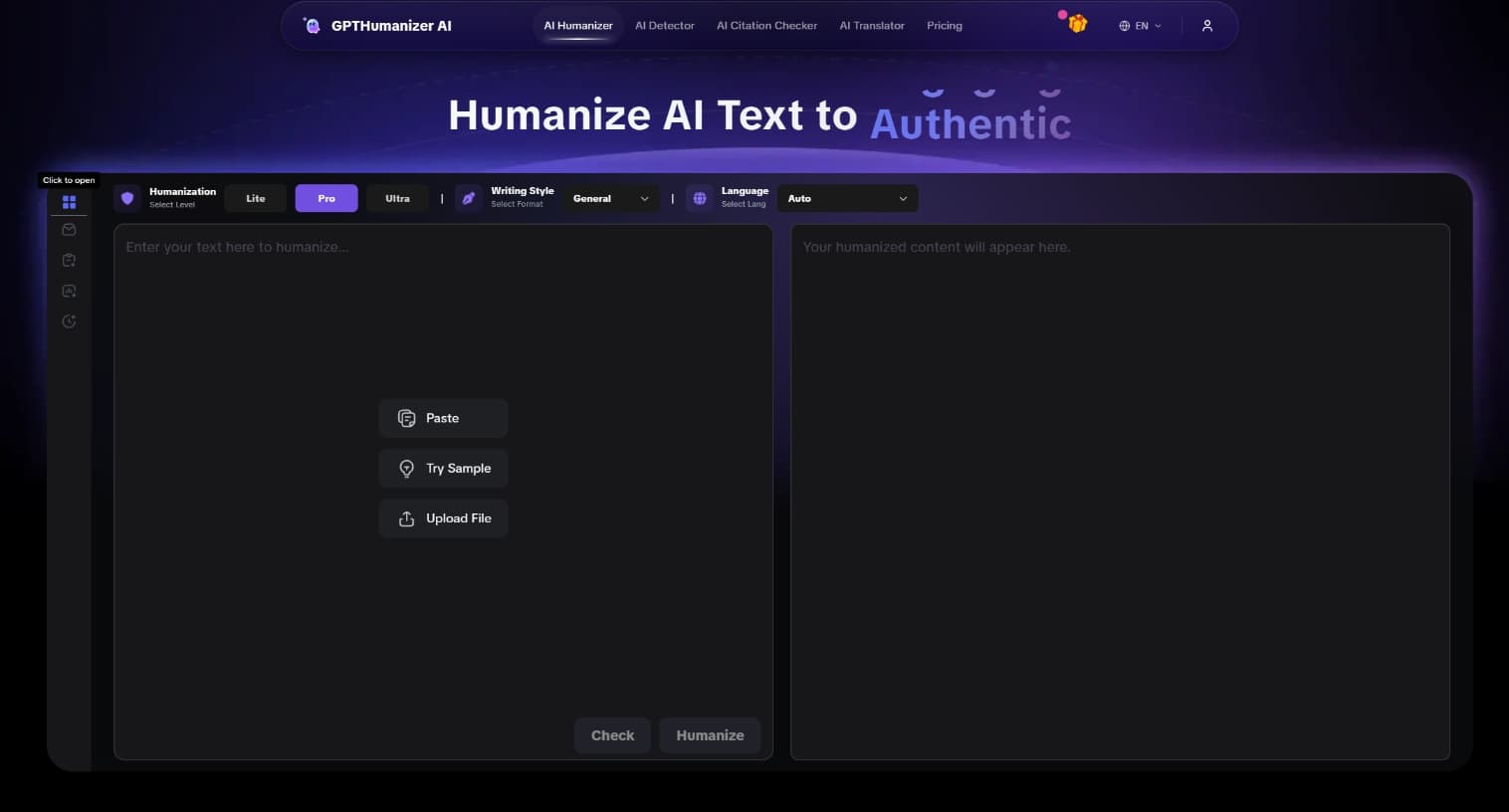
What Does “Humanize AI” Mean? (中文解释 + Free 去AI工具)
Confused about “humanize AI”, “humanize 爱”, or its Chinese meaning? Learn what it means, how it work...
Ethan Miller
20 Free AI Humanizers Compared in 2026: Plans, Limits, and Login Requirements
I compared 20 free AI humanizers by free access, input limits, output quality, and detection result ...
Ethan Miller